
Ask Your Social Data Anything: How an AI Social Media Manager for Local Businesses Answers Your Questions
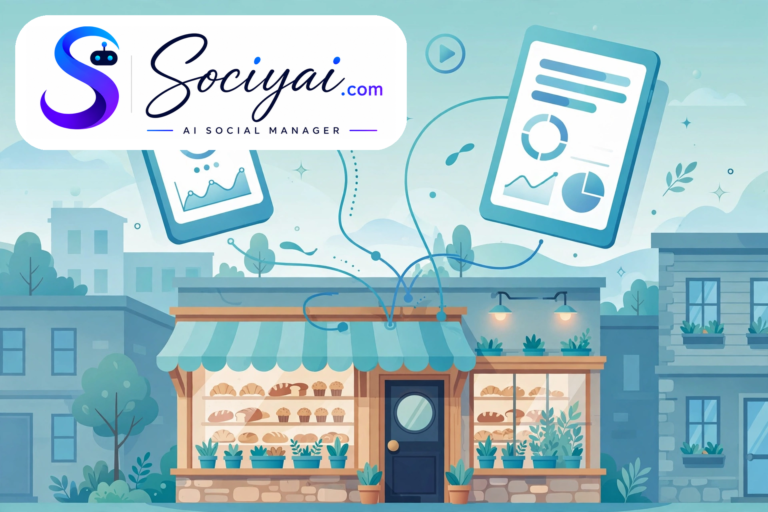
You don’t need a marketing degree to run a successful local business, but the moment you open a social media analytics report, it sure feels like you do. Impressions, reach, engagement rate, click-through rate, saves, shares, profile visits, follower growth — a wall of charts that tells you plenty and explains nothing. You wanted to know one simple thing: “Is any of this actually working?” An ai social media manager for local businesses changes the question from “Can you read this dashboard?” to “What do you want to know?” — because instead of making you decode the charts, it lets you ask your data a question in plain English and get a straight answer.
A conversational AI analytics chat turns the monthly numbers into a dialogue: you ask, it answers, and the answer always comes in words you actually use. Here’s how it works, what to ask, and why it changes how local owners think about their social media.

The Analytics Report Problem Every Owner Knows
Picture the usual end of a busy month. You get an automated report email — a PDF full of bar charts, trend lines, and a table of metrics that scrolls forever. You skim it between customers, notice that one number went up and another went down, and close it feeling none the wiser. The report wasn’t wrong; it was just written for a marketing analyst, not for the person running a bakery at 5 a.m.
Social media platforms each report their own version of the truth in their own vocabulary. Facebook counts one thing, Instagram counts another, and YouTube counts a third. Reconciling them takes an afternoon you don’t have, and the insight you actually need — “Which post brought in real customers?” — hides behind averages and percentages. Data you can’t understand is data you can’t act on.
What an AI Social Media Manager for Local Businesses Means by “Ask Your Data Anything”
An AI analytics chat flips the whole experience. Instead of opening a dashboard and hunting for the right chart, you open a conversation and type a question the way you’d ask a trusted assistant: “Did that Halloween promo post actually work?” “Are my Instagram posts doing better than my Facebook posts?” “What should I post more of this week?”
The system already has your connected accounts, your posting history, and every metric behind it. So when you ask, it doesn’t hand you a chart and wish you luck — it gives you an answer. “Your Halloween promo reached 2,400 people, drove 38 profile visits, and it’s your best-performing post this month — seasonal specials are beating your product posts by 40%.” One sentence answers the question the PDF couldn’t. That conversational layer is what makes an AI analytics chat different from a traditional analytics dashboard: dashboards show, chat explains. And because the chat sees Facebook, Instagram, and YouTube together, it can answer questions no single platform’s dashboard can — like which platform your audience is actually most active on.
It speaks your language, not marketing’s
The best part for busy owners is that there’s no learning curve. You don’t need to know what “engagement rate” means to ask “Are people responding to my posts?” The chat translates your plain words into the right metric and back into plain words. If you’re curious enough to dig deeper, you can follow up — “Why did that one do so well?” — and the conversation goes as deep as your curiosity, never deeper than your comfort.
The Questions Local Owners Actually Ask
Not every question matters equally. Over time, owners asking their data anything tend to circle back to the same handful of questions — and those are the ones that move the needle:
“What’s working right now?” — The chat surfaces your top-performing posts and the pattern behind them, so you’re not guessing what to repeat.
“When should I be posting?” — The chat can tell you when your particular audience is actually online and engaged, per platform.
“Is my audience growing?” — A straight answer: yes, no, faster or slower than last month, and what drove the change.
“What should I post next?” — The chat connects performance patterns to content ideas: the topics, formats, and angles your audience responds to most.
“Am I falling behind?” — A gentle early-warning: if a week’s posts are underperforming your baseline, the chat says so before it becomes a month of silence.
How the AI Analytics Chat Gets Its Answers
It helps to know — at least roughly — what’s happening behind the question box. When you ask, three things happen in seconds. First, the system pulls the relevant metrics from your connected accounts and your automated posting history: reach, engagement, clicks, growth, timing, everything. Second, it compares the numbers against your own baselines and trends, not against some generic industry average that doesn’t reflect your town, your customers, or your business. Third, it writes the finding as a direct answer, citing the numbers that back it up.
That second step matters more than it sounds. A reach of 1,500 might be terrible for a national brand and spectacular for a neighborhood shop — the chat knows which one you are. The broader social media analytics and insights layer keeps a continuous eye on these patterns so that when you do ask, the answer is already three steps ahead of the question.
An AI Social Media Manager for Local Businesses Keeps the Goal in Sight
Here’s where conversational analytics gets genuinely powerful: it connects your daily numbers to the targets you actually care about. Follower counts and likes are fine, but you set goals like “more catering bookings” or “full class schedules” or “a busier Saturday.” When your automation is working toward those targets — the mode the system calls Goal Mode — the chat can answer the question that matters most: “Am I getting closer to my goal?”
Instead of reporting engagement in a vacuum, the answers get framed around progress. “Your posts this month reached 30% more local people than last month, and you’ve had 12 appointment inquiries — you’re on track for your booking goal.” Owners don’t actually want analytics; they want to know whether the thing they set up once is moving the needle.
From Answers to Action: Analytics That Drive Decisions
A restaurant owner asks what’s working, learns that behind-the-scenes kitchen posts outperform polished menu shots, and — without hiring anyone — starts sharing more kitchen moments. The automation picks up the pattern too, shifting the content mix toward what’s performing. Insight and execution happen in the same place, minutes apart. The follow-up questions are where the real leverage hides: “Which platform should I focus on?” might reveal that YouTube is quietly sending more inquiries than Instagram. Each answer is a small strategy session, on demand, at the exact moment you’re thinking about it.
Tips for Asking Better Questions
You can start with the simplest questions and still get value, but a few habits make the chat much more useful:
Ask about outcomes, not metrics. “Did that sale post bring people in?” beats “What was the CTR?” — the chat will find the right numbers for you.
Ask one thing at a time. Short, focused questions get sharper answers. You can always follow up.
Ask “why,” not just “what.” “Why did it do well?” is where the repeatable insight lives.
Check in weekly, not yearly. A two-minute question every Monday keeps you close to the trends while they’re still useful.
Ask about the future, not just the past. “What should I post this week?” turns yesterday’s data into tomorrow’s plan.
The Bottom Line: Your Data Should Work as Hard as You Do
Social media analytics were never the problem — inaccessible analytics were. Local owners don’t need more charts; they need the honest answer to “Is this working, and what should I do next?” delivered in the same plain words they’d use to ask. An AI analytics chat turns your social data from a monthly chore into an ongoing conversation — one where you’re always the one asking the questions, and the answers always sound like they were written for you. Because they were.
If your analytics still arrive as a PDF nobody reads, it’s time for a different relationship with your numbers. Ask them anything. You’ll be surprised how much they have to say.
Related Resources
- AI Analytics Chat — Ask plain-English questions about your automated social media performance and get clear, actionable answers.
- Analytics & Insights — Continuous tracking of reach, engagement, and growth across Facebook, Instagram, and YouTube.
- Goal Mode — Set follower, booking, and revenue targets once and let automation measure progress toward what matters.